
What happened
At lunchtime on Thursday, November 12, millions of people opened Outlook and got nothing. No new mail, no calendar, no way to send.
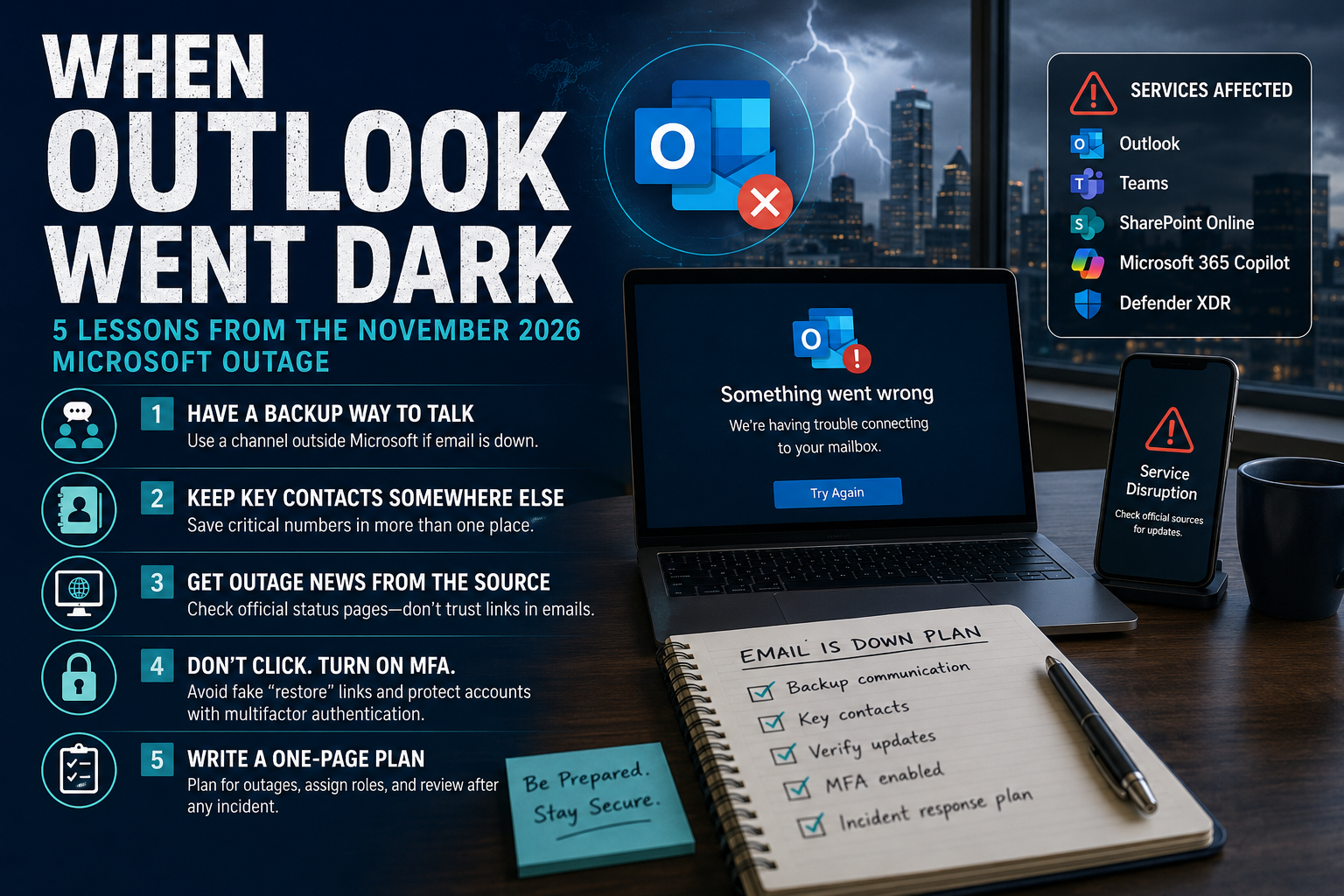
Microsoft first reported trouble reaching Exchange Online mailboxes in the Americas just before noon Eastern. Outage reports on Downdetector peaked at roughly 130,000 in the U.S. (Newsweek). It wasn't only email: Teams, SharePoint Online, Microsoft 365 Copilot and Defender XDR were also affected (ABC10).
The disruption ran into Friday. Microsoft apologized and said it was not a cyberattack and not related to AI agents (ABC7 New York). Even after service came back, a backlog of delayed email was still working its way through.
No hack, no data stolen. So why is a cybersecurity blog writing about it? Because outages test the same thing attacks do: whether your business can keep running when a system you depend on suddenly isn't there.
Why small businesses felt it most
Large companies have IT teams, backup systems and incident playbooks. Most small businesses have one Microsoft 365 account and a lot of hope. When it goes down, three things happen at once:
Work stops. Quotes, invoices, client questions and scheduling all live in the inbox and calendar.
Nobody knows who to call. Phone numbers are stored in Outlook contacts, which are also down.
Scammers move in. Every big outage brings a wave of fake "Your mailbox has been suspended, click to restore" emails and texts. A worried, rushed employee is the perfect target. The FBI has warned that criminals use phishing kits built to impersonate popular cloud-based email services to steal business email logins.
5 lessons to act on this week
Have a backup way to talk. Pick one channel outside Microsoft (a group text, WhatsApp, Slack or Google Chat) and tell your team: "If email is down, we meet here." NIST's small business guidance lists backup communication channels as a way to keep operating during an incident, and CISA tells businesses to be prepared for system disruptions.
Keep key contacts somewhere else. Export your top clients, vendors and staff numbers to a printed sheet or your phone. NIST recommends keeping your incident contact list and having a paper version of this list as a backup.
Get outage news from the source. Bookmark Microsoft's service status page and @MSFT365Status on X. If a message about the outage arrives in your inbox, CISA's advice applies: don't click any link or call any number in the message; look up the company's contact details yourself.
Don't click "restore your mailbox" links, and turn on MFA. Type the website address yourself instead. Then require multifactor authentication on email and file storage so a stolen password alone can't open your account. If you're targeted, report it to the FBI's Internet Crime Complaint Center at ic3.gov.
Write a one-page "email is down" plan. CISA suggests walking through how your company would respond if systems went down. NIST's Small Business Quick-Start Guide says a basic plan names a business champion and who to call. After any incident, write a short after-action report on what went wrong and what you'll change.
The bottom line
This outage wasn't an attack, but the next one could be — or could be followed by one. Cybersecurity isn't only about keeping hackers out. It's about making sure your business keeps working when something breaks.
Pick one lesson above and do it before Friday.
Ready to see where your company defenses stand?
👉 Request your customized cyber vulnerability report today and stay ahead of threats.
👉 Gain insights into your unique cybersecurity vulnerabilities with a custom report.
👉 Train your team to be your first line of defense
📞 Schedule a call today or 📧 contact us for a consultation.
Sources
Government guidance
CISA: Require Multifactor Authentication (small and medium businesses)
FBI IC3: Cyber criminals exploit cloud-based email services (PSA I-040620)
Outage reporting (government sites don't report on vendor outages)