
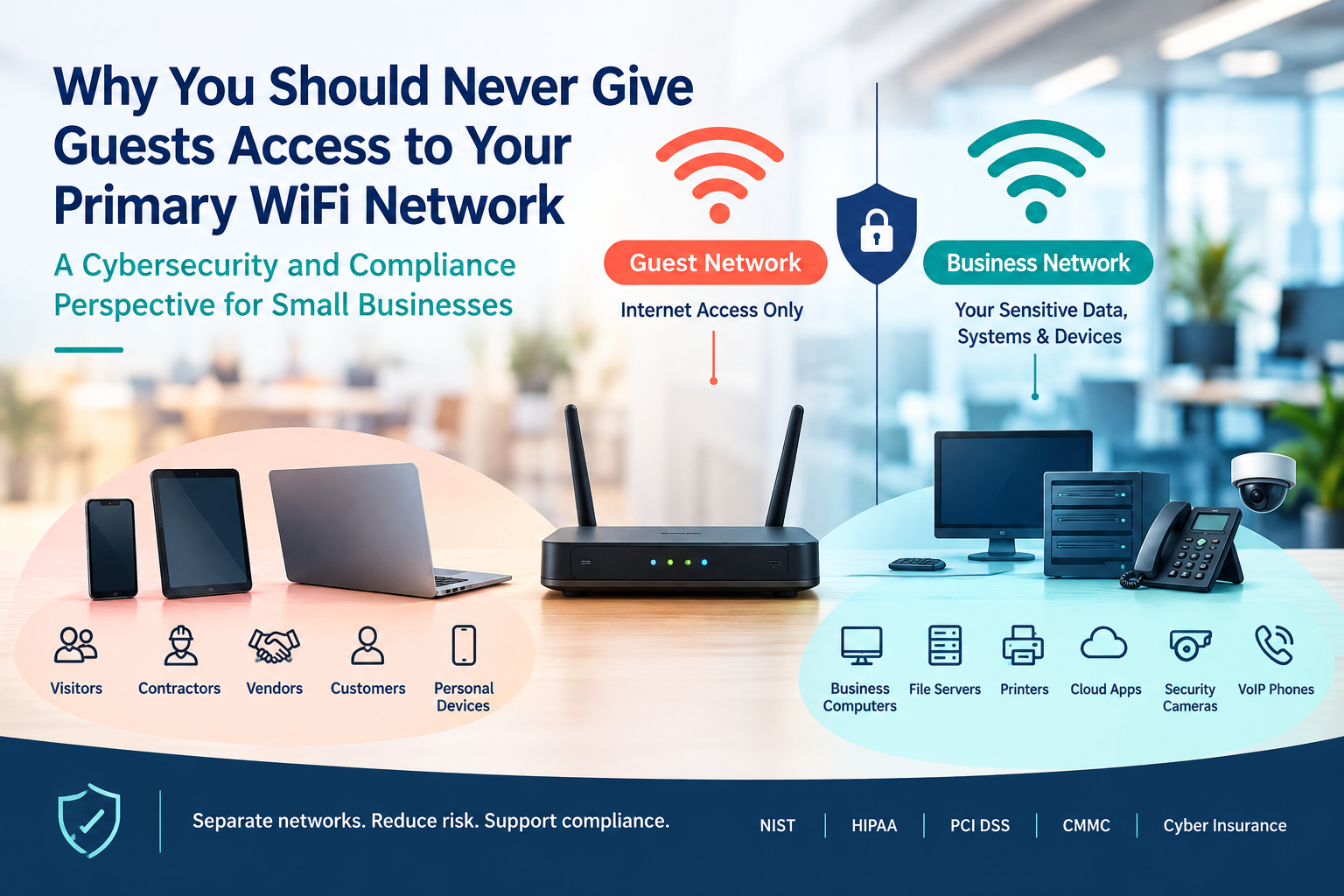
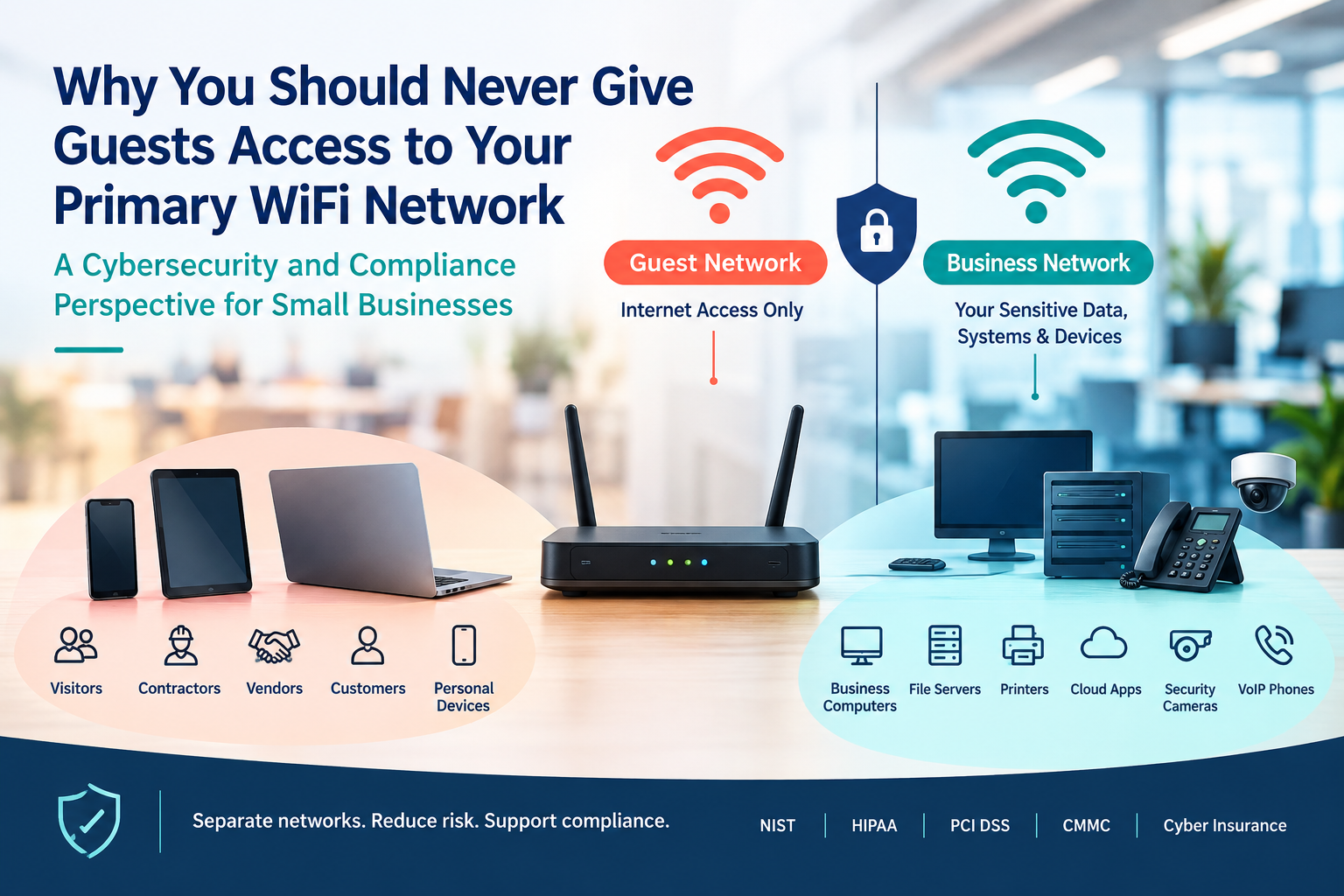
Many small businesses freely share their primary WiFi password with visitors, contractors, vendors, customers, and even employees' personal devices. It seems harmless. After all, they only need internet access for a short period of time.
Unfortunately, allowing guests onto your primary business network creates unnecessary cybersecurity, compliance, and operational risks.
From a compliance perspective, guest access is not simply an IT issue—it is a risk management issue. Whether your organization follows NIST, HIPAA, PCI DSS, CMMC, or cybersecurity insurance requirements, network segmentation is considered a fundamental security control designed to reduce exposure to sensitive business systems and data.
What Happens When Guests Use Your Primary Network?
When someone joins your primary WiFi network, their device becomes part of the same environment that may contain:
Business computers
File servers
Printers
Cloud-connected applications
Security cameras
Point-of-sale systems
VoIP phone systems
Internet of Things (IoT) devices
If a guest device is infected with malware, ransomware, spyware, or other malicious software, it may provide attackers with an opportunity to move deeper into your environment. This type of lateral movement is one of the reasons security frameworks emphasize network segmentation and access control.
A guest may have no intention of causing harm, but compromised devices often spread threats automatically.
Compliance Frameworks Expect Network Separation
Most compliance frameworks do not specifically say "create a guest WiFi network." However, they consistently require organizations to:
Limit access to systems and data
Separate users based on business need
Reduce attack surfaces
Implement access controls
Protect sensitive information from unauthorized access
These principles align directly with network segmentation. NIST guidance specifically recommends separate wireless networks for different security needs and states that guest networks should be logically separated from internal business networks. Devices on guest networks should not be able to communicate with internal systems.
For organizations handling regulated data, this separation helps support compliance efforts involving:
NIST Cybersecurity Framework (CSF)
NIST SP 800-171
CMMC
HIPAA
PCI DSS
Cyber insurance security controls
The Hidden Risk of Personal Devices
Today's visitors rarely connect with just one device.
A single guest may bring:
Smartphones
Tablets
Laptops
Smart watches
Many of these devices are unmanaged and outside your security controls.
You cannot verify:
Whether the device is patched
Whether antivirus software is installed
Whether the device is already compromised
What applications are running
Allowing unknown devices onto your primary network effectively extends trust to systems you do not control. FTC cybersecurity guidance recommends limiting primary business networks to business-managed devices and creating separate networks for guests and personal devices.
Guest Networks Support the Principle of Least Privilege
One of the most important concepts in cybersecurity compliance is the Principle of Least Privilege.
Simply put:
Users should only have access to the resources necessary to perform their tasks.
Guests generally need one thing:
Internet access.
They do not need access to:
Shared drives
Business applications
Internal servers
Employee workstations
Security systems
A properly configured guest network provides internet access while preventing access to internal resources. This aligns with modern Zero Trust and access control practices.
Guest WiFi Can Protect You During an Incident
Imagine a visitor unknowingly connects an infected laptop to your network.
If the device joins your primary network, malware may attempt to:
Scan for vulnerable systems
Access shared folders
Spread ransomware
Harvest credentials
Attack connected devices
If that same device is restricted to an isolated guest network, the potential damage is significantly reduced because the device cannot directly communicate with critical business systems. Network segmentation is widely recognized as a method for limiting attacker movement and reducing overall risk.
Cyber Insurance and Audit Considerations
Following a security incident, auditors, regulators, insurance providers, and legal teams often ask:
What controls were in place?
Was network access restricted?
Were business systems isolated from public access?
Did the organization follow documented security practices?
If sensitive data is exposed because guest devices had unnecessary access to internal systems, organizations may face difficult questions regarding their security governance and risk management decisions.
A separate guest network demonstrates that the organization took reasonable steps to reduce risk and limit unauthorized access.
Best Practices for Guest WiFi
Consider implementing the following controls:
1. Create a Dedicated Guest Network
Use a separate SSID specifically for visitors and non-business devices.
2. Enable Network Isolation
Prevent guest devices from communicating with internal systems and, when possible, from communicating with each other.
3. Use Strong Encryption
Configure WPA2 or WPA3 encryption and avoid outdated wireless security protocols.
4. Change Default Credentials
Ensure router and wireless management passwords are unique and secure.
5. Regularly Update Network Equipment
Apply firmware and security updates to routers, access points, and firewalls.
6. Document the Control
Include guest network management within your cybersecurity policies and procedures so it can be demonstrated during audits or assessments.
The Compliance Bottom Line
Providing guest WiFi is not the problem.
Providing guest access to your primary business network is.
A separate guest network is a simple, low-cost control that supports cybersecurity best practices, reduces the likelihood of unauthorized access, limits attacker movement, and helps demonstrate compliance with widely accepted security frameworks.
In today's threat environment, your primary WiFi network should be reserved for trusted business systems and managed devices—not visitors, vendors, or personal smartphones.
Because when it comes to compliance, convenience should never outweigh security.
Ready to see where your company defenses stand?
👉 Request your customized cyber vulnerability report today and stay ahead of threats.
👉 Gain insights into your unique cybersecurity vulnerabilities with a custom report.
👉 Train your team to be your first line of defense
📞 Schedule a call today or 📧 contact us for a consultation.